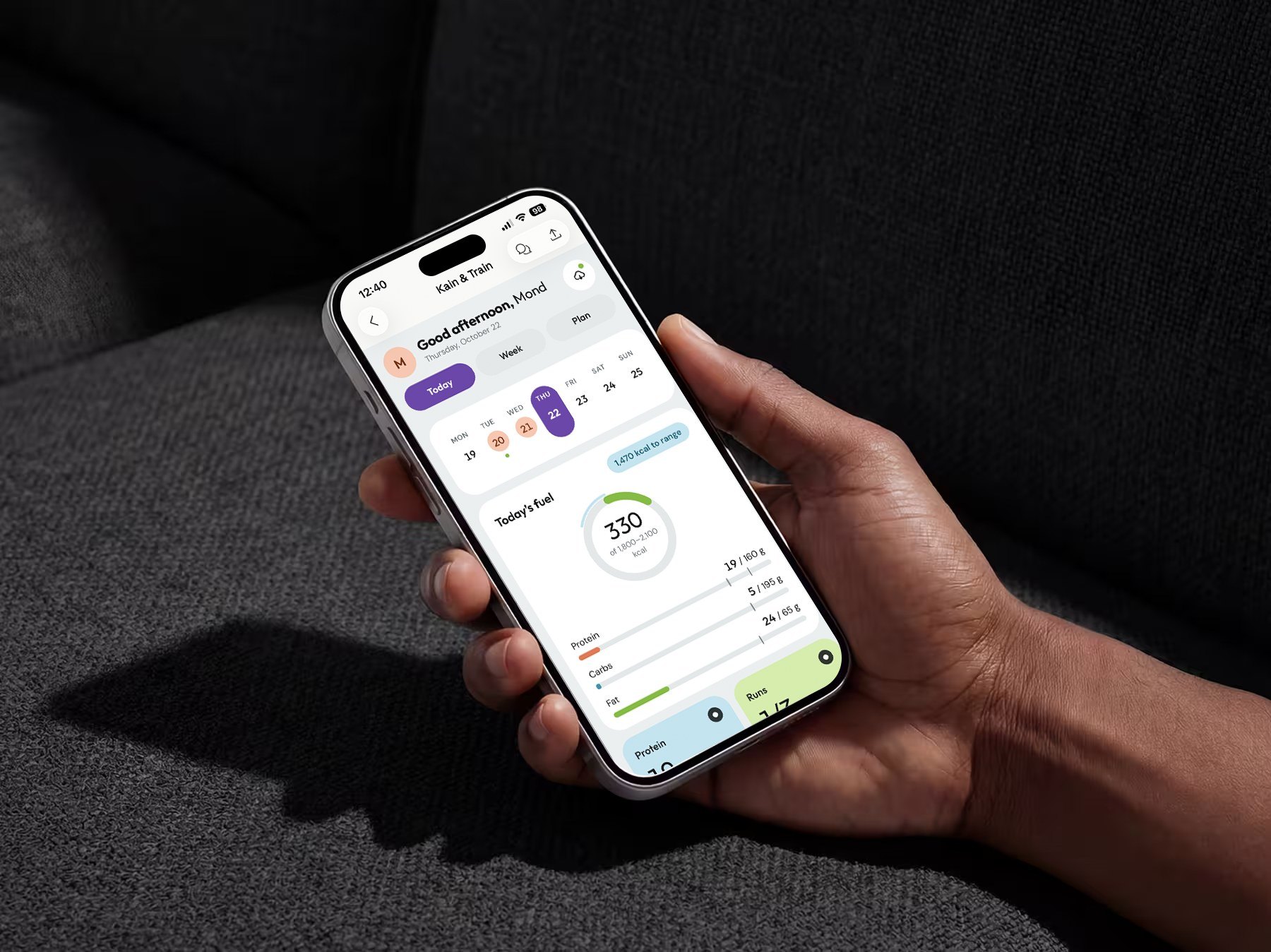
MFour · Activation
Surveys On The Go: Earning trust before asking for it
A rebrand and onboarding redesign that showed new panelists the app paid real cash before asking them for anything.
- Role
- Product Designer, led brand and onboarding
- Team
- 1 PM, 2 Engineers
- Timeline
- 6 months, shipped Sept. 3, 2020
- Platform
- iOS, Android
The short version
Problem
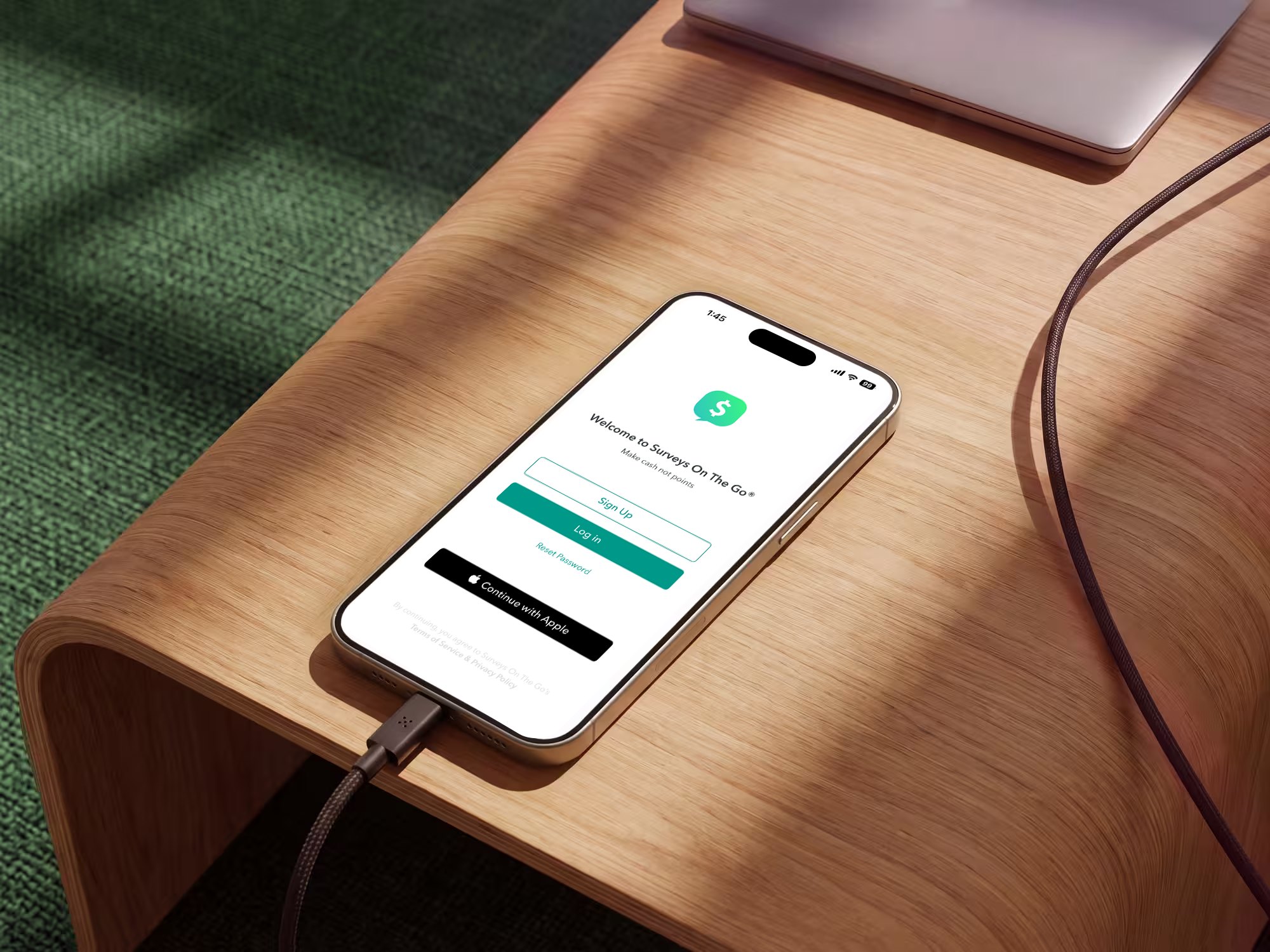
New users had to commit before they believed the app paid. First run opened on a survey list with no context, plus a demographics questionnaire, and the brand went by four names.
What I did
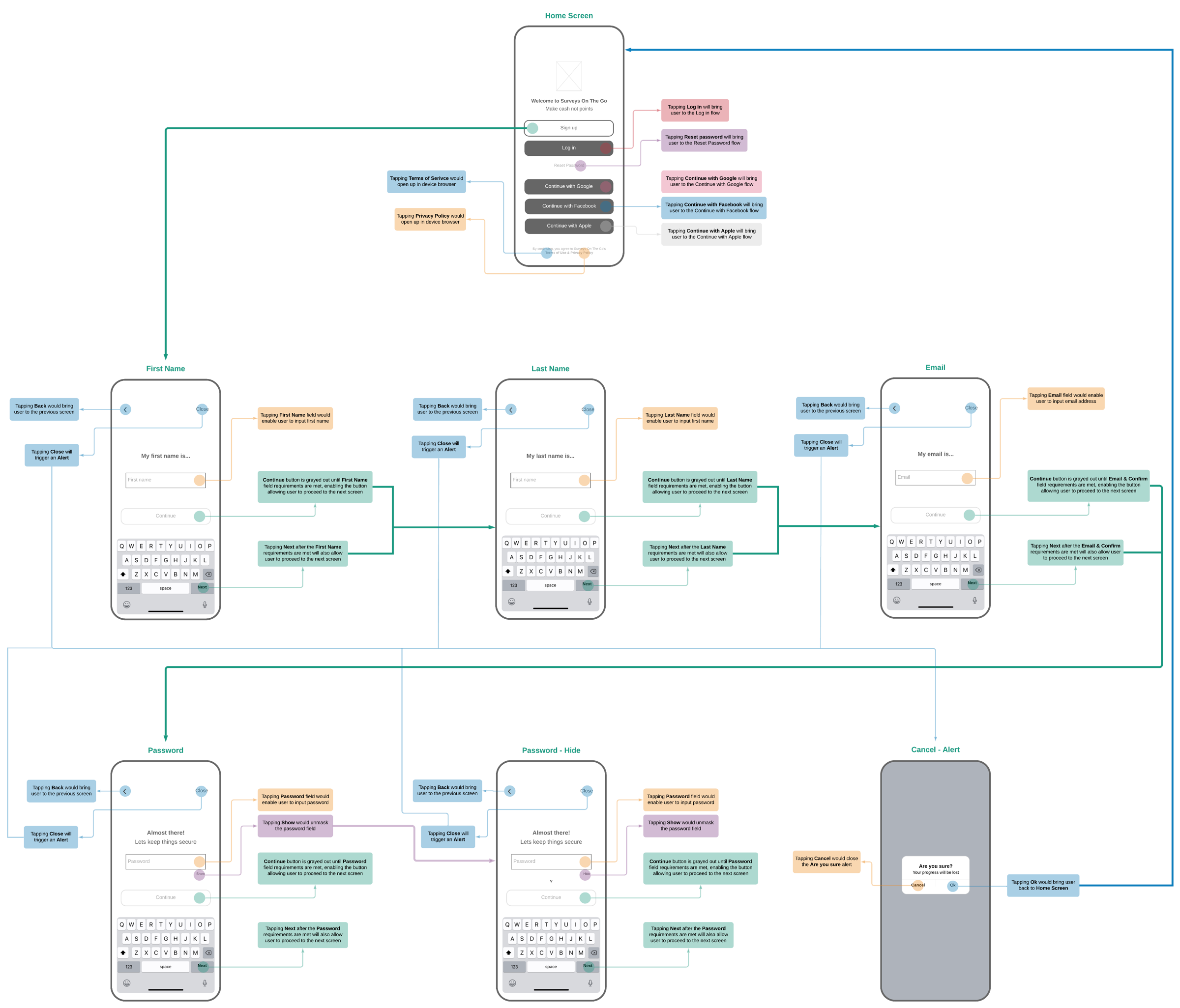
Led the rebrand to one mark and one name, then rebuilt first run around value: a four-screen tutorial, one-question-per-screen sign-up, and Apple and Facebook sign-in.
Result
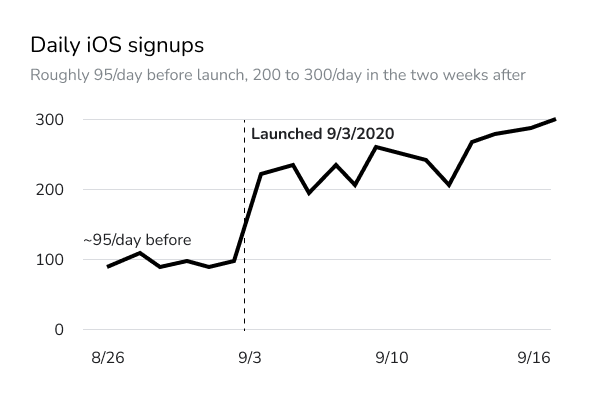
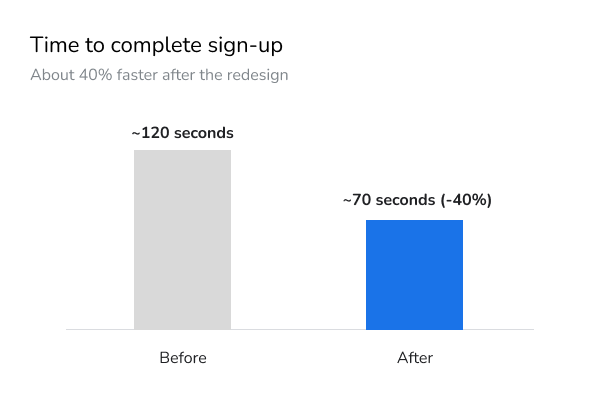
iOS signups rose 163% in the first week after launch, and sign-up time dropped about 40%. The rebrand and onboarding shipped together, so the lift belongs to both.
- +163%iOS signups in the first week after launch
- ~40%Faster sign-up
01 · Context
A panel app where every new user is supply.
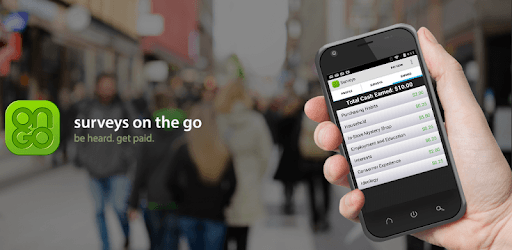
Surveys On The Go is MFour’s consumer research app. It pays people cash for surveys, including location-based surveys tied to places they shop. Every new panelist adds survey supply that MFour sells to research clients, so first-run activation is a direct business lever.
| Where it appeared | Name used |
|---|---|
| Brand name | “Survey On The Go®” |
| Home screen label | “Surveys” |
| Terms of Service | “SOTG” |
| App icon | “On Go” |
02 · The problem
The ask came before the trust.
The old flow wasn’t failing because it was long. It asked for time and personal data before showing users the app paid real cash, and the drifting brand gave them little reason to believe it would.
- ~120sAverage time to finish sign-up before the redesignSource: Iterable
- ~100/dayiOS signups before launch, late August 2020Source: Iterable
- 4 namesFor one product across the store, home screen, legal and icon
- 4 themesToo much effort up front, unclear early value, no clear path to an account, lost momentum at sign-upSource: 5 user interviews
- 4 competitorsAudited for first-run patterns: Google Rewards, Receipt Hog, Rewards and SwarmSource: Competitive analysis
- <50%Progress shown while users answered demographics
03 · My role
I led the rebrand and the onboarding redesign.
I owned
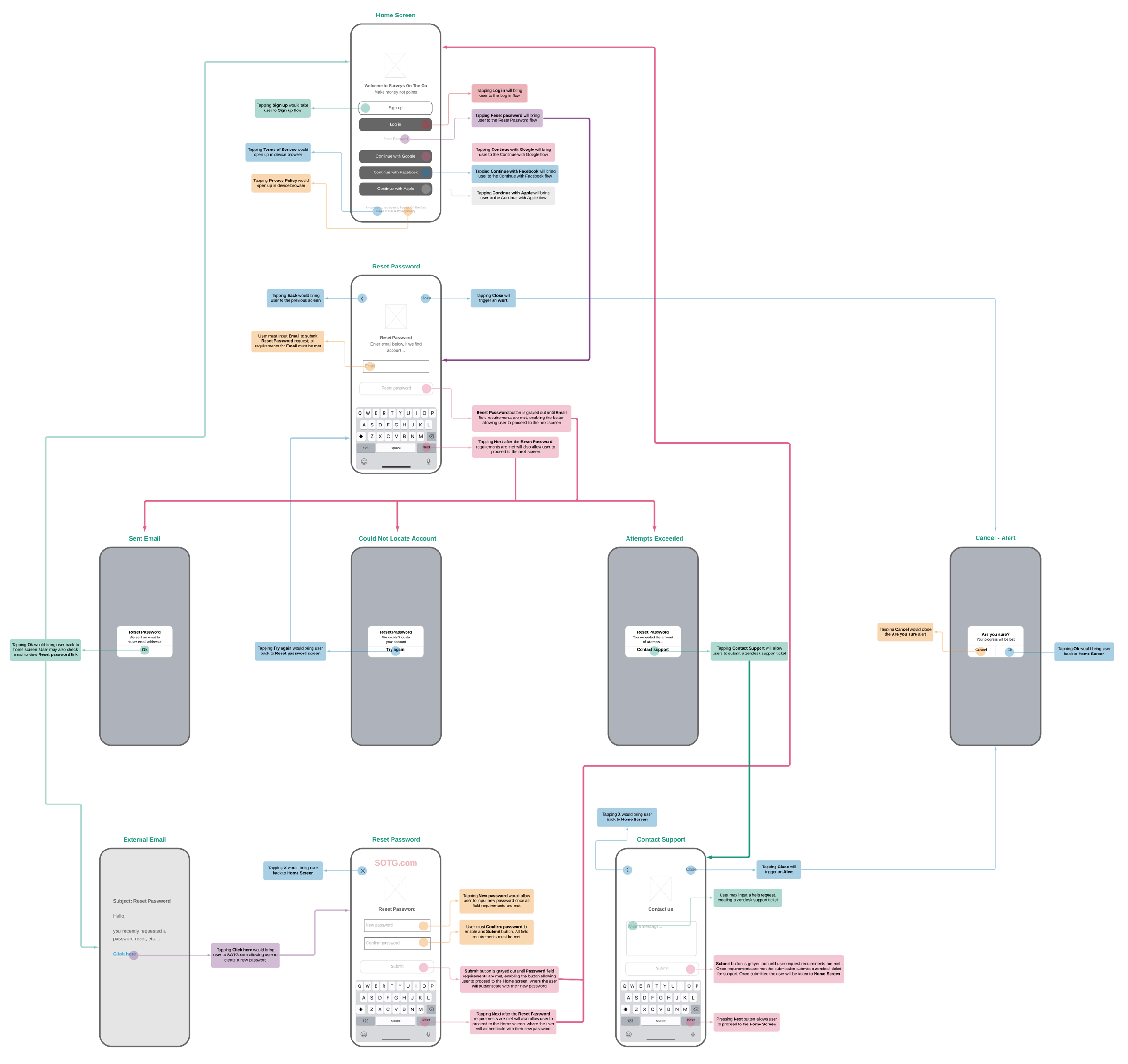
- Onboarding UX strategy and every first-run flow: tutorial, sign-up, log in, reset password and home navigation
- The new app icon and mark, from sketches to final
- Interaction specs: validation, disabled states, back, close and the cancel alert
- Visual design of the final screens
I influenced
- Company alignment on one brand name
- The brand design system (look and feel)
- The onboarding experience
04 · Constraints and success criteria
Constraints and success criteria, set up front.
Constraints
- Core business and sign-up requirements stay intact
- Improve clarity without adding steps
- Support both speed and trust
- Stay practical enough to launch quickly
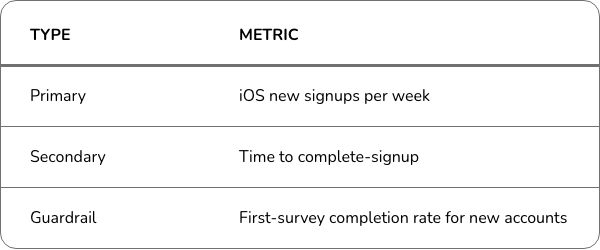
Success criteria
05 · Key decisions
Reassurance versus efficiency, three times.
-
1
Show the value before asking for anything
Options
- Keep demographics up front
- Cut the tutorial
- Add a short value tutorial (chosen)
Why this one
It answers “does this pay, and how much?” before asking for any effort.
What we chose
Four swipeable screens: “make money, not points”, “reach $10 and redeem”, then push and location priming.
What we gave up
Four added screens, against the no-new-steps constraint. A Log In shortcut on every screen limits the cost.
-
2
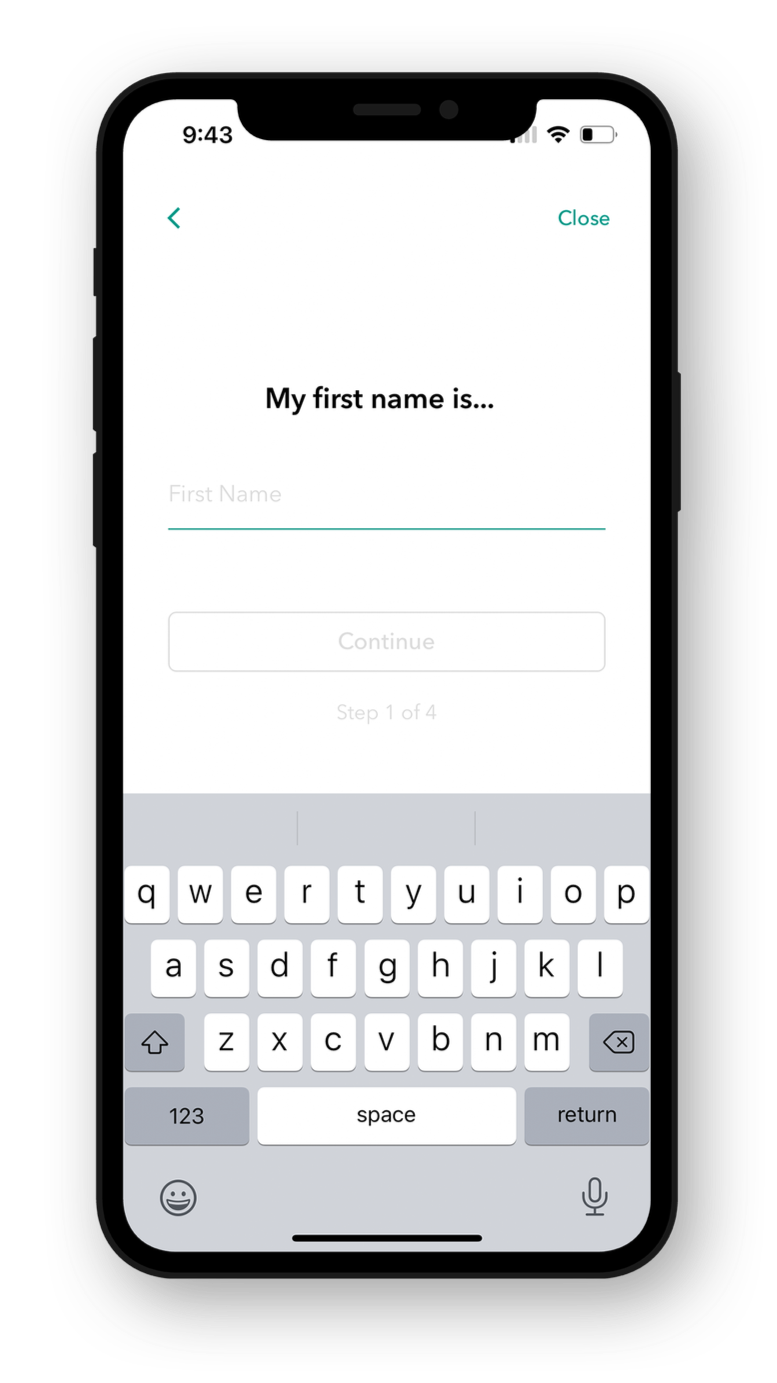
One question per screen, with shortcuts around it
Options
Keep demographic up front - cut the tutorial - add a short value tutorial.
Why this one
Answers "does this pay, and how much?" before any effort.
What we gave up
Four added screens against a no-new-steps constraint. Log in shortcut on every screen limited the cost.
-
3
Don’t make verification a gate
Options
- Block until email is verified
- Verify later (chosen)
Why this one
The first survey is where the value becomes real. Verification matters at payout.
What we chose
Send the verification email and take the user straight to “Take my first survey”.
What we gave up
Some unverified accounts in the panel.
06 · The solution
Store to first survey, in one guided run.
App Store listing, welcome, tutorial, then four single-field steps or social sign-in, leading straight into the first survey.
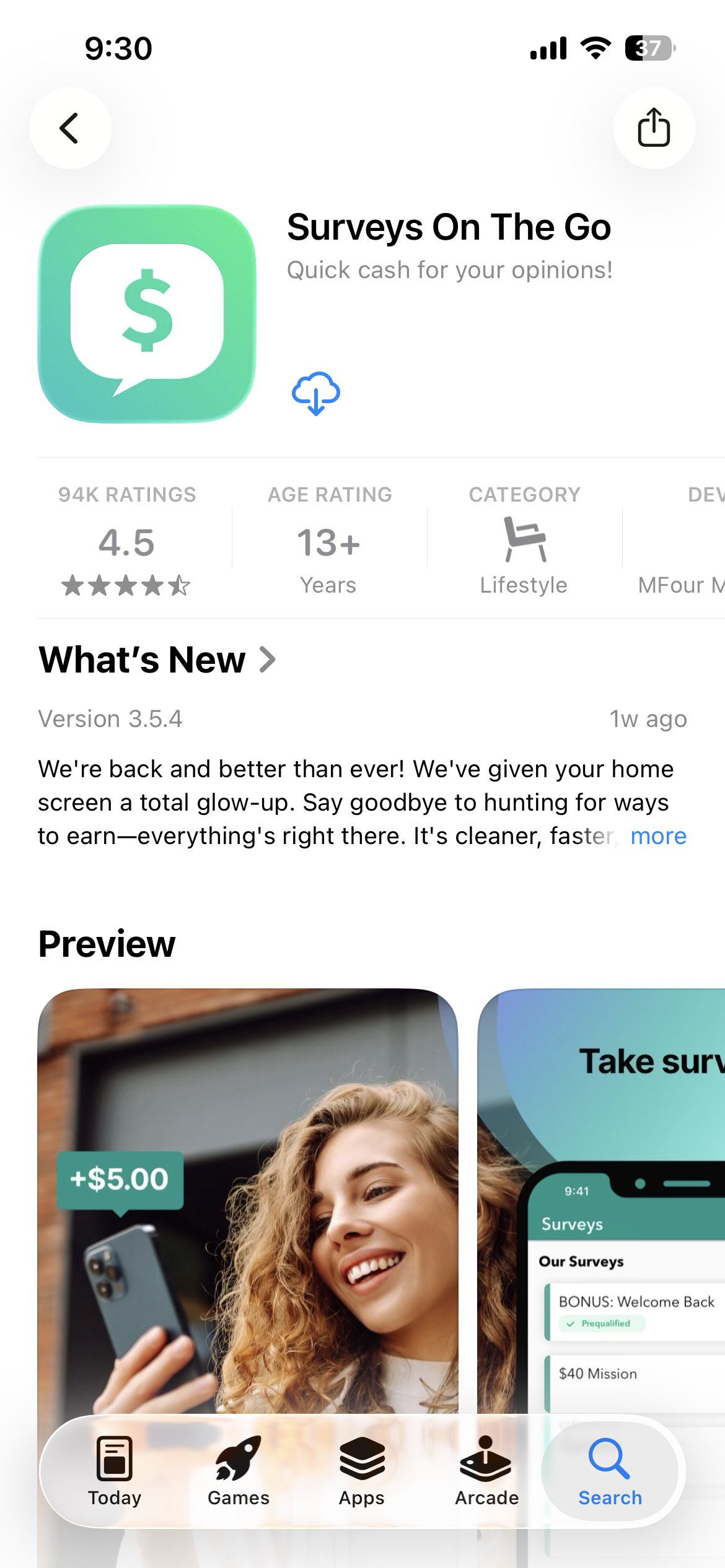 1 · App Store listing
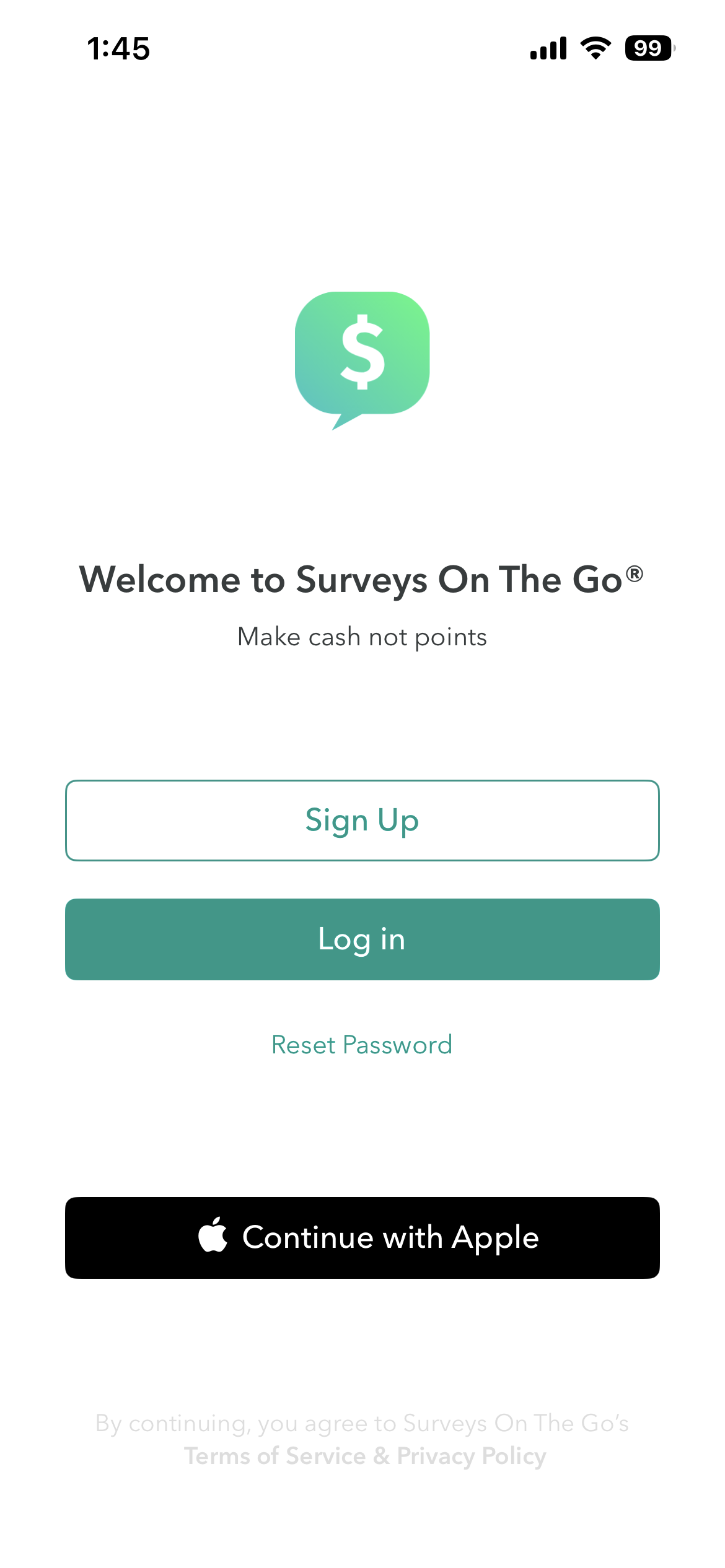 2 · Welcome
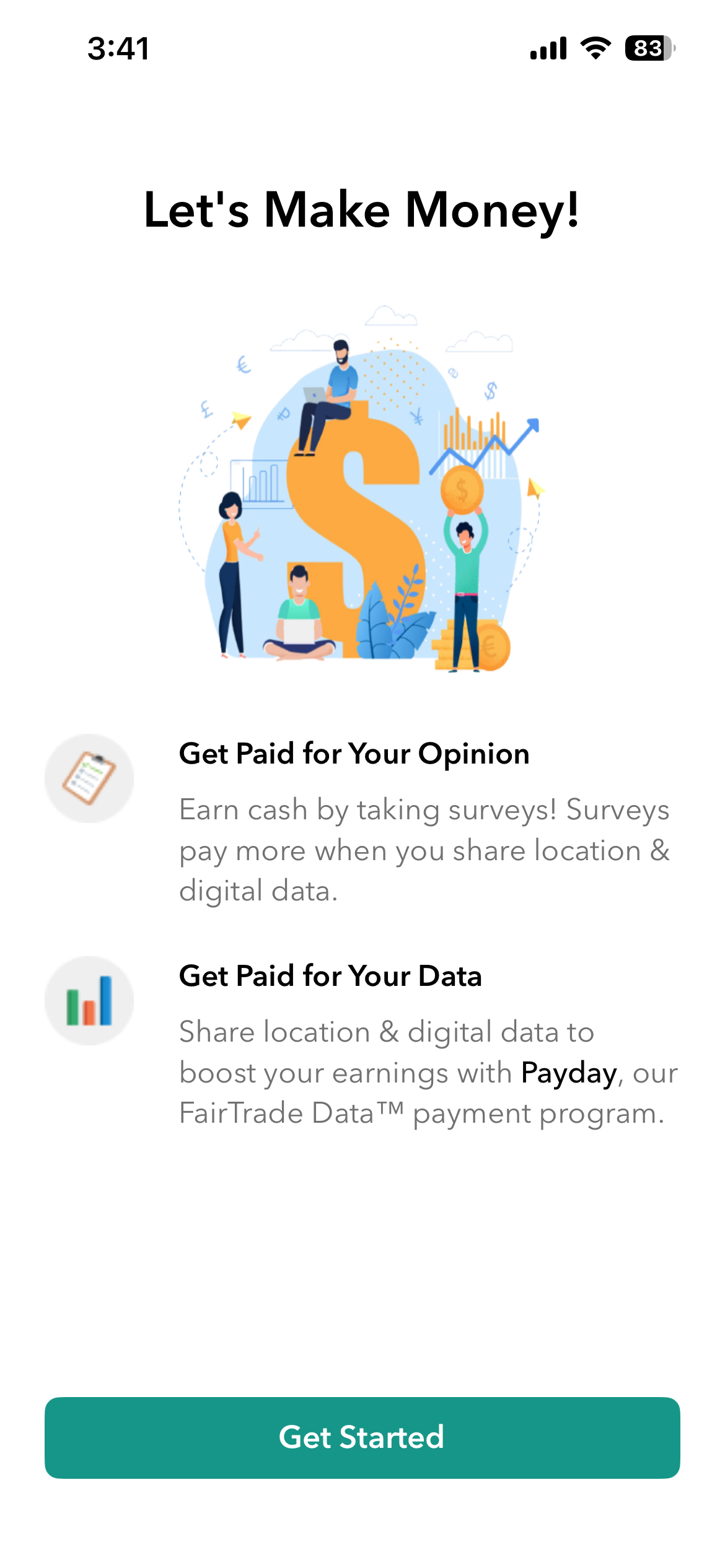 2 · Tutorial
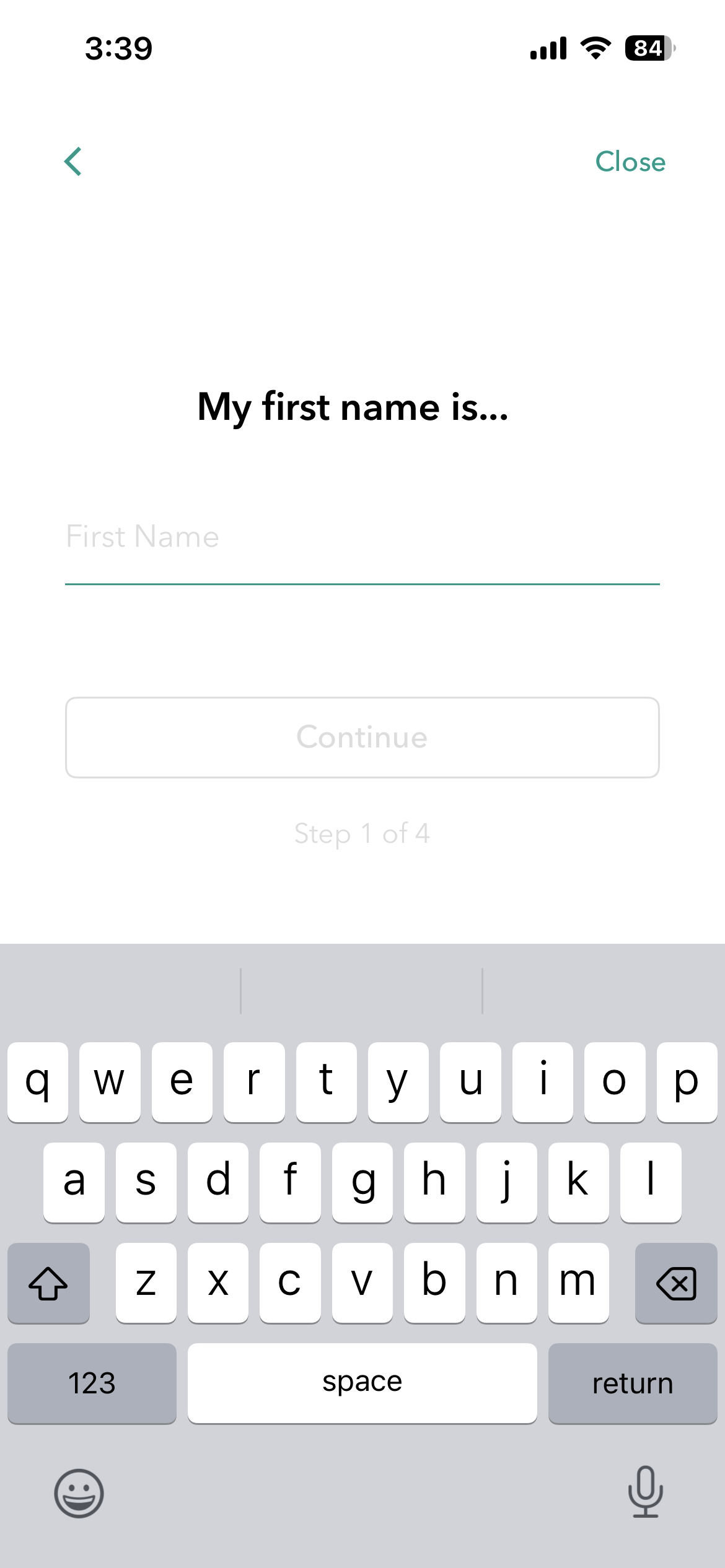 4 · Sign up or social sign-in
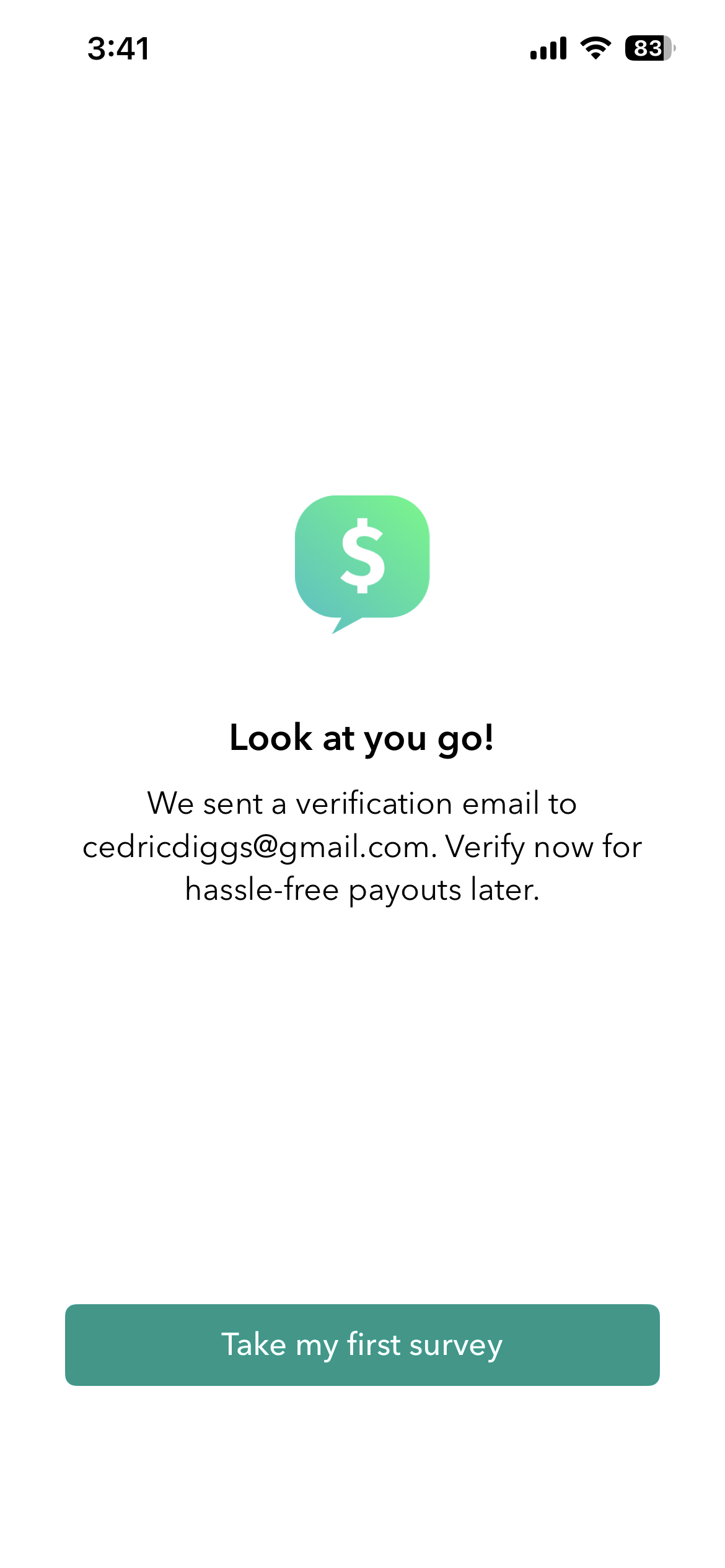 5 · Verify later, straight to the first survey
07 · Validation
What testing changed, and how it shipped.
Before launch
Moderated tests of a clickable InVision prototype with 6 new-to-app users, recruited from the panel, in 2 rounds over 2 weeks. The task: get from the App Store to a first survey.
What it changed
- Users got stuck swiping through the tutorial, so a Log In shortcut went on every screen.
- Testers tapped Close by accident and lost progress, so a confirm step was added.
- Users mistyped passwords with no way to check, so a Show/Hide toggle was added.
How it launched
The iOS “Refresh” launched Sept. 3, 2020, to 10% of new iOS installs for a week, then to 100% once signups held. Android followed about a month later with the same flow.
After launch
iOS signups rose 163%, and the lift held.
08 · Outcomes
What moved after launch.
| Outcome | Result | Baseline |
|---|---|---|
| iOS signups, first week after launch | +163% | ~100/day in late August 2020 (Iterable) |
| Time to complete sign-up | ~40% faster | ~120s before the redesign (Iterable) |
09 · Reflection
What I’d do differently.
Shipping together cost clean attribution.
Next time I’d stagger the rebrand and the onboarding, or test one against the other.
Signups measure the door, not the room.
I’d instrument first survey completion and early retention before launch.